
About the data landscape
As part of the Complement-ARIE program, Technology Development Centers (TDCs) contribute data generated using NAMs to the NAMHub for use by the Complement-ARIE consortium and by the wider scientific community. To ensure the NAMHub can support ingestion and sharing of all relevant data types, each TDC is responsible for providing a summary of the data the NAMHub should expect to receive. This summary is know as a data landscape.
The information you provide helps the NAMHub team understand potential access requirements, assess the types of information we need to include in the data model, and what types of ontologies we need to account for. The NAMHub team has created dedicated workspaces in Synapse for each TDC to contribute its data landscape information.
View the latest requirements of the data landscape forms here.
Steps to complete the data landscape
1. Create a Synapse account
Create your own Synapse account using this link.
2. Become a Synapse Certified User
Complete the 15-question Synapse certification quiz. Certification allows you to upload files, add metadata, and contribute to Synapse.
3. Request to join your TDC team
Request to join your TDC team using this link. NAMHub will add you to the appropriate team.
If you forgot your Synapse username, you can check it here.
4. Open your TDC Synapse project
A NAMHub data manager will assign you a task to complete the data landscape. If you do not see the task, please submit a help desk ticket.
5. Open Curator from the Tasks and Actions tab
Open the Synapse project for your TDC, then navigate to the Tasks and Actions tab. Find the data landscape task assigned to you and click Open Curator.
Curator will open a spreadsheet-style form. Each row represents a dataset your TDC plans to contribute to the NAMHub.
6. Complete the data landscape
The NAMHub team has pre-populated portions of your data landscape where possible. Please review the information carefully and update, correct, or complete any fields as needed.
Use the features below to help streamline the submission process and ensure your data landscape is accurate, complete, and ready for NAMHub review.
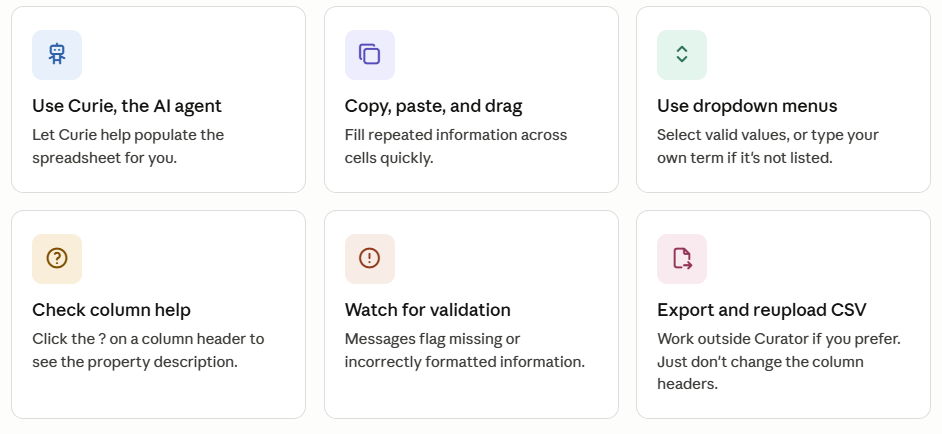
Chat with the AI agent to help complete the landscape. Here are example prompts to put in the chat.
-
Here is information about our project. Help me fill in the relevant columns.
-
Suggest values for empty cells based on the dataset name and description.
-
Explain the validation errors and how to fix them.
-
Suggest applicable standards, controlled terms, or ontologies based on the dataset description.
-
Refine these dataset names so they are clearer and more consistent.
-
Rewrite these dataset descriptions so they are concise and useful for data sharing.
-
What file formats would make these datasets most reusable?
-
Check the completed spreadsheet for consistency before submission.
See more Curator features in this documentation page.
7. Submit your changes
When you are finished, click Apply Changes to submit the data landscape. You can submit even if there are validation errors.
Need more time? Curator saves your work in real time, so your progress will be saved if you close the application and return later.
Have questions? Run into any issues? Please submit questions to the NAMHub Help Desk.